
 October 10, 2026
 10 min read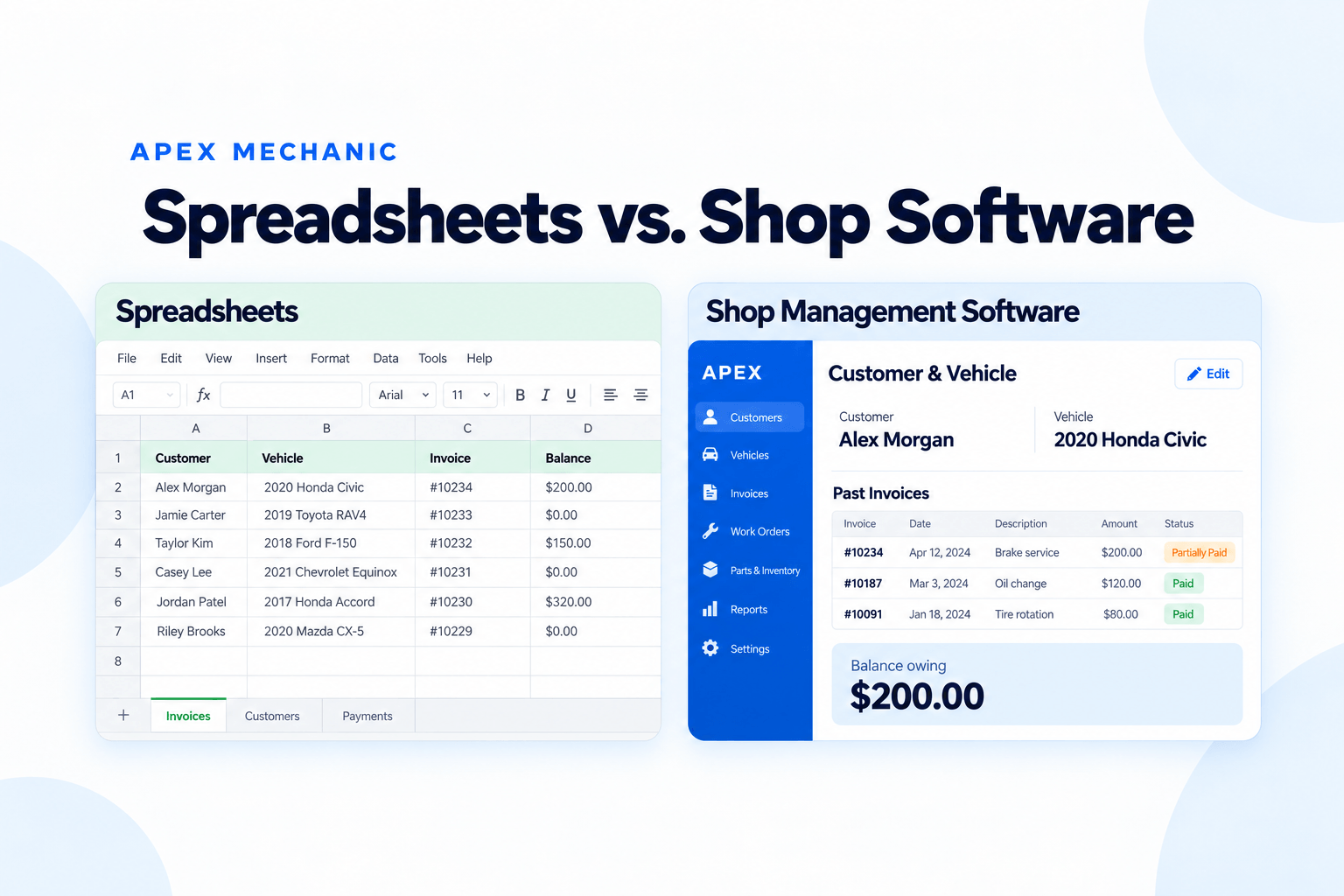
Excel vs Shop Management Software: The Short Answer
Excel or spreadsheets can be enough when your auto repair shop’s records are easy to maintain and your team can reliably find and update them. Shop management software becomes worth evaluating when invoicing, vehicle history, and payment tracking require repeated manual work that your current setup is struggling to support.
A spreadsheet is a flexible tool. Shop management software provides a defined workflow for tasks such as creating repair invoices, maintaining customer and vehicle records, and recording payments. The capabilities vary by product.
The decision depends on what has changed in your shop. More jobs, another person at the counter, or a backlog of unpaid invoices can make a once-manageable spreadsheet setup harder to run.
This guide compares the two approaches for independent Canadian auto repair shops. It will help you decide whether to improve your spreadsheets or consider a dedicated system.
When Excel or Spreadsheets Can Still Work for a Canadian Auto Repair Shop
There is no reason to replace a spreadsheet simply because it is a spreadsheet.
Excel or a similar tool can remain useful when:
 Your invoice process is straightforward and does not spill into evenings.
- Customer and vehicle records are organized and easy to search.
- Payments are recorded consistently, and balances agree with your invoices.
- Everyone who needs the records knows where to find them.
- Your accountant receives the information they need without a lengthy cleanup.
- Someone can maintain the formulas, templates, and filing process.
Excel also supports shared editing through co-authoring when the required versions and cloud-storage setup are in place. Sharing records is not exclusive to shop software.
The question is how much upkeep your shop’s setup requires. If it works reliably and the owner is comfortable maintaining it, switching may not solve a meaningful problem.
Excel vs Auto Repair Shop Software: What Changes in Daily Use?

 A built-in invoice workflow can connect the bill to a customer and vehicle record.
- A history feature can make past invoices accessible from customer and vehicle records.
- Payment-tracking features can show paid, partially paid, and unpaid invoices.
- Saved services or canned jobs can reuse parts and labour within an invoice.
- The team learns the product’s defined workflow and keeps records there.
- Built-in reports may provide the information you need, with less flexibility than a custom workbook.
 You design and maintain the template, formulas, numbering, and filing process.
- You decide how records are linked and how previous jobs are located.
- You maintain payment entries and the calculations or lists showing what remains owed.
- You maintain reusable descriptions, prices, or template rows.
- You document the workbook structure, update rules, and filing conventions.
- You build or maintain the summaries your shop needs.
The trade-off is flexibility versus the work required to maintain your own system. A spreadsheet lets you shape the process. Dedicated software asks you to adopt its workflow, so that workflow needs to fit the jobs you actually perform.
Compare Invoicing, Vehicle History, and Unpaid Balances
These three tasks are a useful starting point because they recur as part of running the shop.
Creating the invoice
An Excel invoice template can calculate parts, labour, and taxes. Look beyond the finished invoice: how often do you re-enter customer details, copy a common service, find a previous price, or update another list after billing?
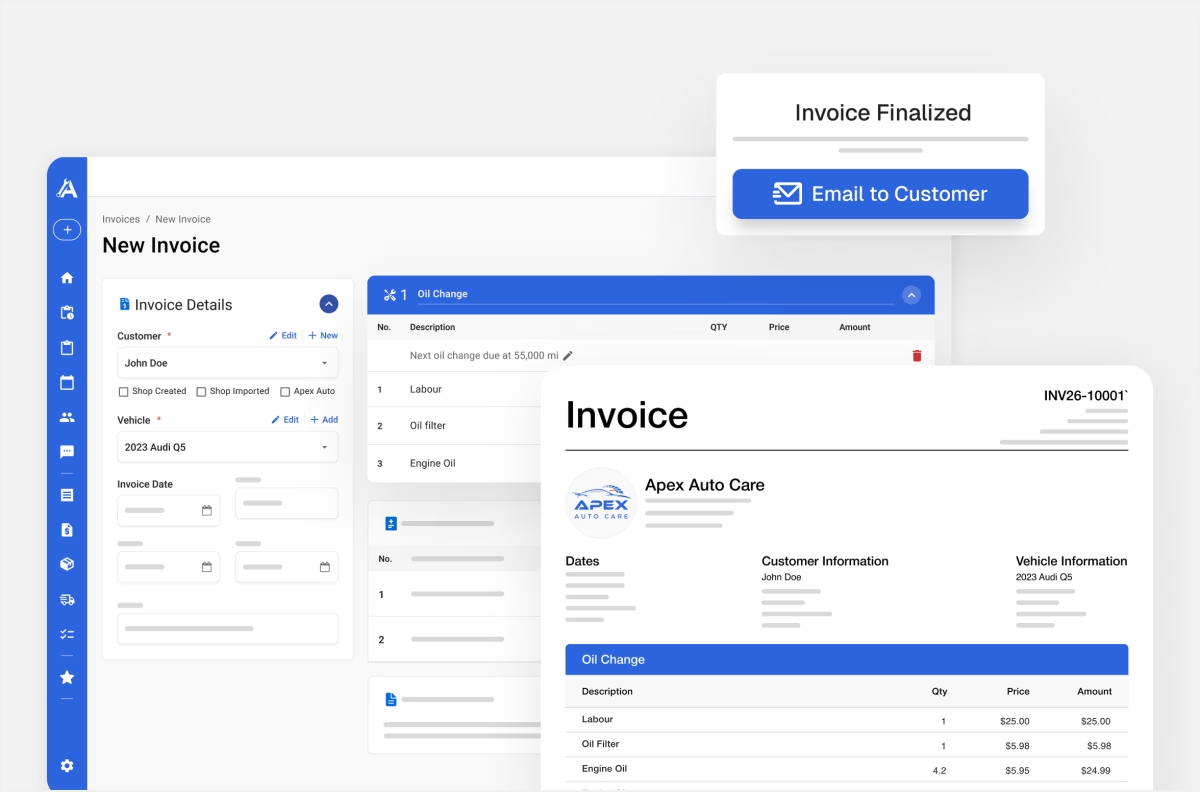
In Apex Mechanic, you can create an invoice directly with customer and vehicle details, parts, labour, and taxes. Saved services let you reuse common jobs and adjust them for the vehicle. An estimate is available when a quote is needed; it does not have to come before every invoice.
Finding previous work
A spreadsheet can store service history if you organize it that way. Test whether someone else can find the correct record when a customer calls. Searching by an inconsistent name or opening several files may be manageable occasionally, but frustrating when it becomes routine.
Apex keeps customer and vehicle records connected to past invoices entered in the system. Older paperwork does not automatically become digital history; record-transfer options need to be reviewed separately.
Knowing what is still owed
A list of invoice totals is not enough unless payments and remaining balances are kept current.
For example, consider a hypothetical invoice totalling $600, with $400 paid. Can the person at the counter find the remaining $200, identify the invoice, and record a later payment without updating several places?
Apex supports paid, partially paid, and unpaid invoices, along with outstanding balances and customer account statements. Test that complete process when evaluating it. Software still depends on the team entering payments correctly.
Compare Apex With the Way You Invoice Today
See the Invoicing WorkflowWhat Should Canadian Shops Check About Taxes and Accounting?
Canadian repair shops should compare how each option handles their actual invoice and accounting requirements.
A spreadsheet can calculate taxes when its formulas and item settings are configured correctly. A software product should also be checked using a sample from your shop rather than assumed to handle every situation automatically.
Apex supports configurable GST, HST, PST, and QST, including tax settings for invoice items. Confirm the configuration your business needs with your accountant, then check a sample invoice and report.
Shop administration and bookkeeping also serve different purposes. You may use a shop system for invoices, vehicle history, and customer balances while keeping QuickBooks or Wave for bookkeeping.
Apex provides CSV and PDF sales-report exports that can be shared with an accountant. The workflow described here uses exports; it is not an automatic QuickBooks or Wave integration.
Before choosing a system, establish what information your accountant needs, how it will move between systems, and who will keep the records consistent.
Compare Software Costs With the Work of Maintaining Spreadsheets
A spreadsheet setup may have little additional subscription cost if you already use the software. It can still require time to maintain templates, check balances, find records, and prepare reports.
Dedicated shop software adds a subscription and a learning period. It may also involve record preparation, data-transfer work, and changes to the accounting handoff.
Compare both options using the work in your shop:
- What do you currently pay for the tools involved?
- How much time do you spend creating invoices, searching records, and checking payments?
- How often do you need to correct inconsistent or duplicated information?
- What will setup, training, and record preparation require?
- Which tasks will the proposed system simplify?
- Which manual tasks or separate tools will remain?
For one ordinary week, note the time spent on the tasks you want to improve. Then ask the provider to demonstrate those same tasks. A useful comparison includes the subscription price, the effort to switch, and the remaining work.
Do not assume every minute saved will turn into additional revenue. Finishing paperwork during the day or making records accessible to another employee may still be valuable outcomes.
How Do You Know Your Repair Shop Has Outgrown Excel?
Look for recurring problems:
- Invoices regularly wait until after closing.
- Customer and vehicle information must be entered in several places.
- Another employee cannot find previous work without asking the owner.
- You cannot confidently confirm an outstanding balance from the available records.
- Adding an employee makes the filing and billing process harder to explain.
- Preparing information for the accountant requires repeated cleanup.
The strongest reason to evaluate software is a specific change combined with a recurring problem.
Hiring someone for the front desk, for example, may expose how much of the process depends on the owner’s memory. More invoice volume may expose the time spent copying and checking entries.
There also needs to be a person ready to adopt the system. If nobody will create real invoices or record payments consistently, a new subscription will not resolve the problem.
How to Evaluate Shop Software Against Your Current Spreadsheet
Use a recent job from your shop to compare the full workflow:
- Create the customer and vehicle record.
- Build the invoice with familiar services, parts, labour, and taxes.
- Print or email the invoice.
- Record a partial payment and find the remaining balance.
- Retrieve the invoice from the vehicle record.
- Produce the information you would share with your accountant.
Have the person who will use the system try the process. Ask about any essential capability that does not appear in the demonstration.
Also confirm:
- Which records can be transferred from your files.
- Whether historical invoices will move or remain in an archive.
- What setup and training include.
- How support works after launch.
- The total subscription cost, relevant limits, and cancellation terms.
- Whether the product’s standard workflow fits your shop.
You do not need to adopt every feature to evaluate the core work. You do need to understand any important capability you would lose.
Once you have decided to switch, use our paper-and-Excel migration guide to plan the transition. The comparison should establish whether to change; the migration plan should establish how.

Where Apex Mechanic Fits in the Comparison
Apex Mechanic is shop management software for independent Canadian auto repair shops whose paper, spreadsheet, or basic invoicing setup has stopped keeping up.
Its core workflow brings repair invoices, customer and vehicle history, and payment tracking into one system. Apex also includes estimates, work orders and authorization, appointments, inventory, and customer messaging, which you can introduce as your team gets comfortable.
During setup, we review available customer and vehicle records and export files before confirming what can be transferred. Founder-led setup and one-on-one training cover the everyday work your shop needs to perform.
Apex is worth evaluating when you want a defined shop workflow and are ready to use it for real jobs. If you want to reproduce every detail of a custom spreadsheet or need specialized capabilities, establish that fit before committing.
Keep the comparison practical: can your team create the invoice, find the history, and see what is owed with less effort?
Frequently asked questions
Yes. Excel can be used for invoice templates, customer lists, service records, payment tracking, and reporting if you build and maintain those processes. It can remain suitable while the records are reliable and the upkeep is manageable. Consider shop software when recurring manual work or record fragmentation starts affecting daily operations.