
 October 9, 2026
 9 min read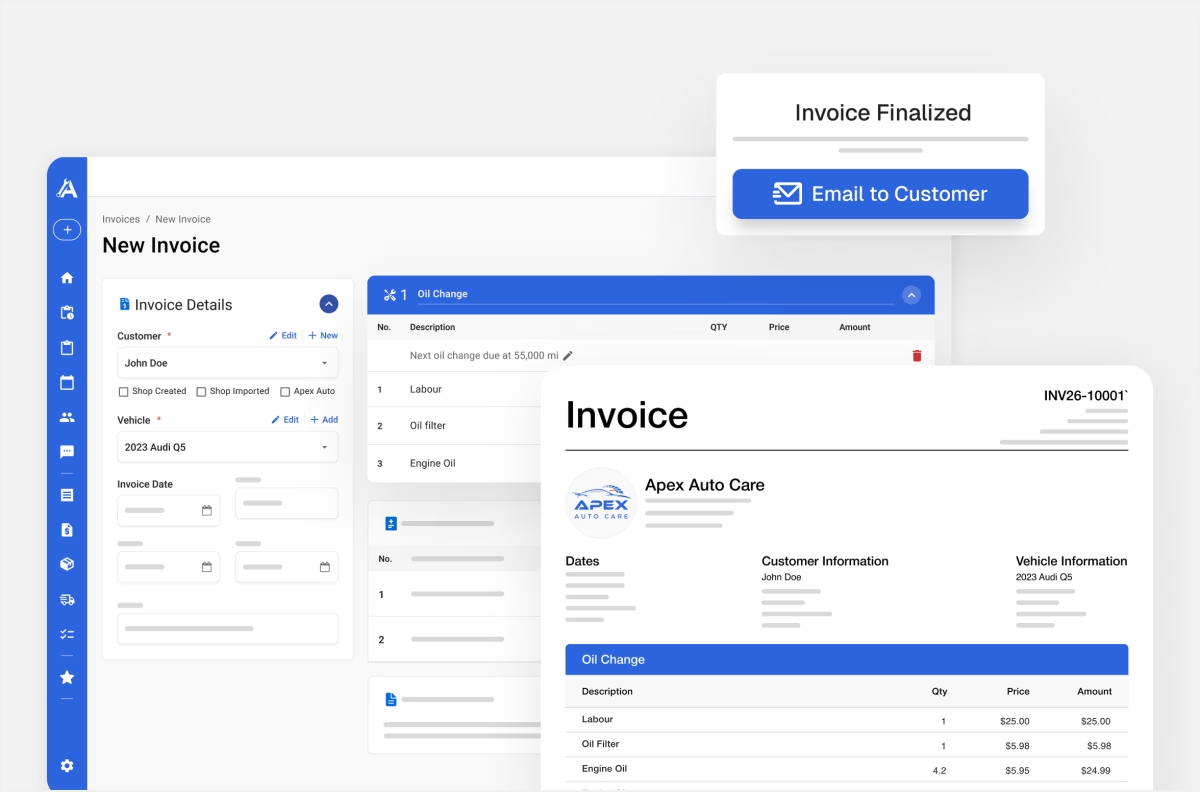
Introduction
Paper invoices and Excel spreadsheets can work well for years. Then the shop gets busier, someone else starts handling the front desk, or the owner spends more evenings catching up on paperwork.
The problem is rarely just handwriting versus typing. It is the extra effort needed to create each invoice, find previous repairs, and work out what customers still owe.
If you are moving from paper or Excel to auto repair shop software, start with new invoices, active customer and vehicle records, and outstanding balances. Agree on how the team will use those records, test a complete job, and then introduce other tools as you need them.
This guide is for independent Canadian repair shops whose current setup has started taking too much time or making information harder to find. You can make the change in stages, without introducing every feature at once.
How Do You Know Your Shop Has Outgrown Paper or Excel?
A manual setup does not need replacing simply because it is old. The useful question is whether it still supports the work your shop does.
Look for recurring problems:
- You finish invoices after closing because there is no time during the day.
- Finding previous work means searching folders or opening several spreadsheets.
- Another employee cannot answer a customer’s question without asking you.
- Payments are recorded separately from invoices, making balances difficult to confirm.
- Your accountant needs information that takes hours to assemble.
- The same customer, vehicle, or service details are entered repeatedly.
One inconvenience may be manageable. When these problems happen every week, a system that connects the records can be worth evaluating.
Ask what has changed: more jobs, a new employee, someone leaving, or a growing list of unpaid invoices? Then identify the task your current setup is struggling to handle. Ask each provider to demonstrate that task using an example from your shop.
There also needs to be someone ready to use the new system for real work. A trial account alone will not fix scattered records. Decide who will create invoices, record payments, and help the team follow the same process.
Start With the Work You Already Have to Do
For many independent shops, invoicing is the easiest place to begin. Every completed job needs a bill, so the new system attaches to a task your team already performs.
Your first workflow can be straightforward:
- Find or create the customer.
- Select or add the vehicle.
- Enter the services, parts, and labour.
- Check the invoice details and applicable taxes.
- Print or email the invoice.
- Record the payment and check any remaining balance.
How Apex Mechanic Can Help
Apex Mechanic is shop management software for independent Canadian auto repair shops. You can create invoices directly, keep them connected to customer and vehicle records, and track unpaid balances. Saved services let you reuse common jobs with parts and labour already filled in, then adjust the details for the vehicle.
Estimates
Estimates can be useful when a customer needs a quote, but they do not have to precede every invoice.
Other Features
Appointments, inventory, messaging, and online booking can come later. Begin with the workflow that solves your current problem.