
 October 15, 2026
 9 min read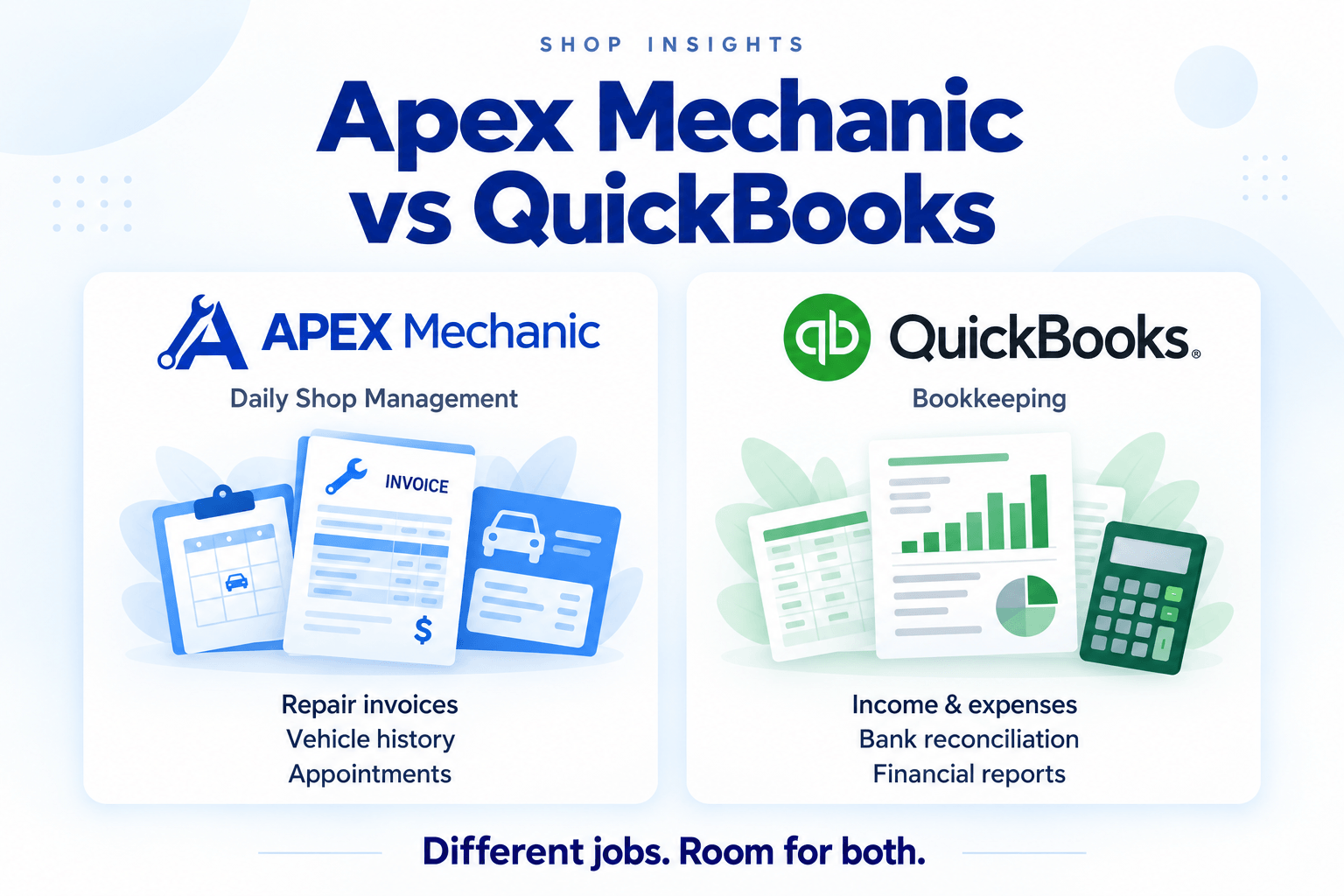
QuickBooks vs Auto Repair Shop Software: The Short Answer
QuickBooks is built for bookkeeping. Auto repair shop management software is built for running the shop. While QuickBooks can create invoices and record payments, using it as your main shop system often means keeping vehicle history, appointments, and job details in separate spreadsheets, calendars, or paper files.
That setup can get you started. But as your shop gets busier, you need more than a finished invoice—you need to know which vehicle is coming in, what work was done last time, and what the customer still owes, without searching several places.
Apex Mechanic brings repair invoices, estimates, appointments, customer and vehicle service history, and payment tracking into one simple system for independent Canadian repair shops. Your team can find the information they need and handle everyday work with less reliance on your memory.
You can keep QuickBooks for bookkeeping while using Apex Mechanic to manage the shop. Apex provides CSV and PDF sales-report exports to share with your accountant. Your accountant can easily upload these reports into QuickBooks and effortlessly synchronize your sales data.
This guide compares Canadian QuickBooks Online with Apex Mechanic to help you decide which tasks belong in your accounting software—and which belong in your shop management system.
QuickBooks Covers the Billing Basics—But What About the Vehicle?
QuickBooks can create invoices and estimates, record payments, and keep your books organized.
For a Canadian repair shop, it covers the basic financial tasks:
 Bill customers for parts and labour.
- Apply sales taxes and record payments.
- Track income, expenses, and bank transactions.
- Handle sales taxes and business reports.
The gap is managing the vehicle and the work around it. Adding a VIN or vehicle description to an invoice is different from having a vehicle record with its repair history attached.
When comparing QuickBooks with auto repair shop software, look beyond the bill:
- Vehicle service history: Can you open one vehicle record and see its previous repairs?
- VIN lookup: Can you decode a VIN to fill in vehicle details, rather than type them yourself?
- Vehicle search: Can your team find the right vehicle using its licence plate or VIN?
- Multiple vehicles: Can you clearly separate each vehicle’s history under the same customer?
- Appointments and work orders: Are the customer’s concerns and requested services connected to the job?
QuickBooks can work if you mainly need to create invoices, record payments, and keep your books organized. But when you need vehicle service history, VIN lookup, and appointments connected to repair jobs, QuickBooks on its own starts to show its limits.
As your shop gets busier, Quickbooks will require more extensive setup, repeated typing, and long search times to look for information.

What Is Apex Mechanic?
Apex Mechanic is auto repair shop management software built for independent Canadian repair shops. While QuickBooks focuses on bookkeeping, Apex brings the customers, vehicles, appointments, and repair jobs moving through your shop into one system.
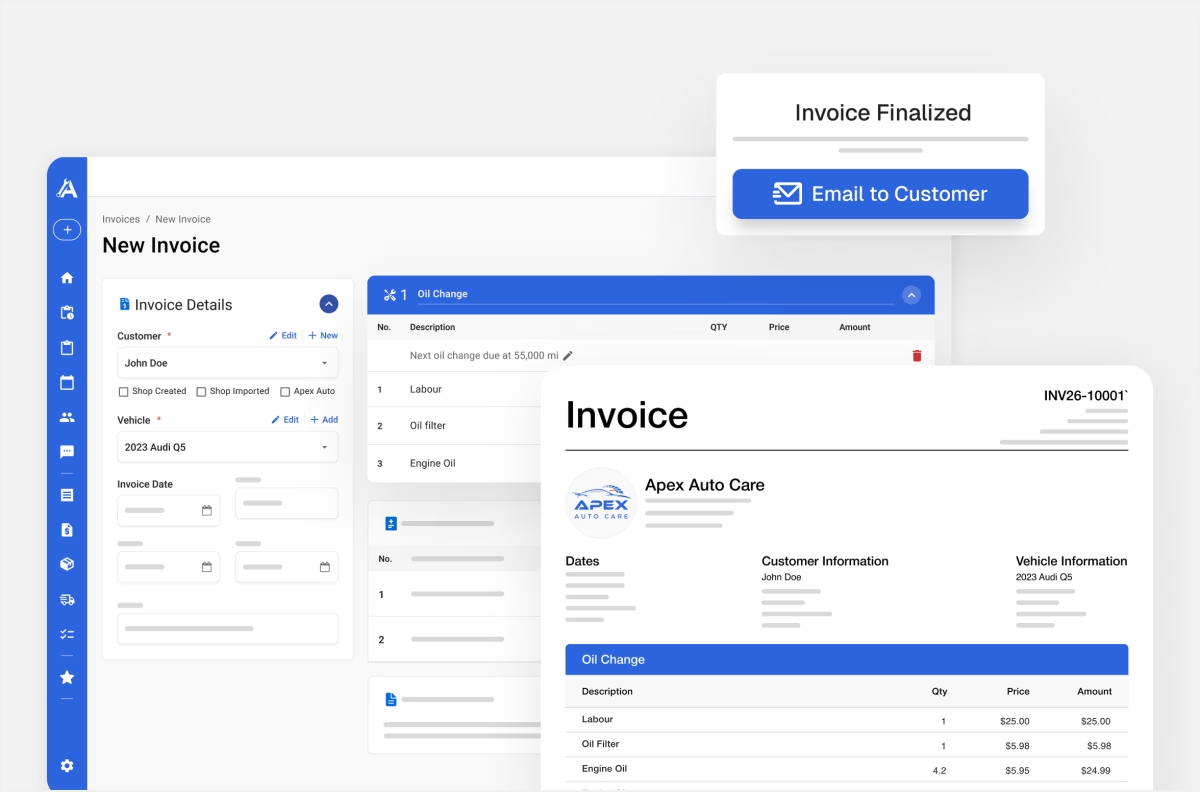
Create repair invoices and estimates with parts, labour, and Canadian taxes. Use saved services for common jobs, turn estimates into invoices without retyping, and track paid, partially paid, and unpaid bills. Customer account statements help you see outstanding balances and follow up on payments.
Customer and vehicle records stay connected to previous invoices, making it easier to find past repairs. VIN and licence-plate lookup help you add vehicle details, while appointments, work orders, customer authorization, inventory, and messaging keep the rest of the job organized.
For a shop that started with QuickBooks, moving daily operations into Apex is a natural next step when invoicing alone is no longer enough. You may now have more vehicles coming through, another employee at the counter, or more information to manage than an accounting invoice can comfortably hold. Apex gives that work a dedicated home, so your team can find answers without relying on your memory or searching separate files.
Founder-led setup and one-on-one training help your team get started. We’ll review your existing records, confirm what can be transferred, and walk you through the tasks your shop handles every day.
QuickBooks vs Apex Mechanic: Compare the Everyday Tasks
Both products can help with invoices and payments. Compare how they fit the work your shop needs to do.
 Keeps dedicated vehicle records linked to each customer, with vehicle details and previous invoices together.
- Open a vehicle record to find repairs and maintenance recorded through past invoices.
- Use VIN and licence-plate lookup to help fill in vehicle details.
- Search customer and vehicle records using details such as a name, VIN, or licence plate.
- Keep multiple vehicles under one customer, with separate invoice histories for each vehicle.
- Create repair invoices and estimates with customer and vehicle details, parts, labour, taxes, and saved services.
- Keep customer concerns, requested work, and authorization documented in a work order.
- Manage appointments with customer, vehicle, and requested-service details, plus confirmations and reminders.
- Send vehicle and appointment updates, receive questions and photos, and refer back to customer conversations.
 Keeps customer records. No specific field for vehicle. Requires you to add it under notes.
 - Previous invoices are available, but no clear way to easily organize invoices by vehicle.
- Enter vehicle details manually or use an automotive app for lookup features.
- Finding vehicle information depends on where and how you entered it.
- Separating each vehicle’s records is difficult and time consuming.
- General business invoices and estimates. No clear parts and labour breakdown for invoicing. Custom setup needed.
- No ability to create or track work order authorizations.
- No ability to keep customers in the loop with appointment reminders, confirmations or post service follow ups.
QuickBooks helps with accurate accounting records. Apex Mechanic helps you manage the customer, vehicle, and repair work behind it.
Can Your Team Easily Find a Vehicle’s Previous Repairs?
A customer record tells you who you are billing. Vehicle service history helps you find what happened to a particular car.
Imagine a customer who brings both a Honda Civic and a Ford Escape to your shop. They call to ask when you last replaced the brakes on the Civic.
Can the person at the counter find:
- The correct vehicle?
- The invoice for that brake job?
- The parts and labour recorded on it?
- The answer without asking you to search somewhere else?
Quickbooks is great for making the invoice. But most shop owners don't track vehicles in an easily searchable field. This makes it difficult for your service advisor or technician to easily find service history on a specific vehicle.
In Apex Mechanic, customer and vehicle records connect to invoices entered in the system. Easily search vehicles by licence plate, VIN or just year make model. Then effortlessly locate service history records with one click.
Quick Check
Could another employee find the last repair invoice for the correct vehicle in less than a minute while the customer waits?
Find Previous Repairs Without Searching Separate Files
See How Apex WorksWhen Your Shop May Need More Than QuickBooks
QuickBooks may still work for bookkeeping while other parts of running the shop become harder to manage. Look for these situations:
You’re Hiring Someone for the Counter
A new employee needs to find vehicle details, previous work, and customer balances without asking you each time. If that information lives in several places, handing over tasks can be difficult.
You’re Handling More Jobs or Losing Help
More cars or one less employee can mean more paperwork for you. Repeatedly copying customer and job details between tools takes time away from other work.
Appointments and Job Details Are Scattered
The booking is in a calendar, the customer’s request is on paper, and the invoice is in QuickBooks. A change to the job means updating more than one place.
You Want to Spend Less Time at the Counter
Your records need to make sense to someone else. If the team needs your memory to explain a previous repair or locate an invoice, it is hard to step away.
You can also organize things before a problem gets worse. Hiring, adding more work, or handing over responsibilities can be a good time to change—even if your current setup still works.
Can You Keep QuickBooks and Use Apex Mechanic?
Yes. You can keep QuickBooks for bookkeeping while using Apex Mechanic for repair invoices, customer and vehicle records, and payment tracking. Before starting, agree with your accountant on how information will move between the two systems.
For example, your team could create new repair invoices and record customer payments in Apex. You would then export sales reports and share them with your accountant, who would use the information as part of the bookkeeping process.
Agree on the Process Before You Start
Ask your accountant to review a sample Apex report. Then agree on:
- Where new invoices and payments will be recorded.
- What information needs to go into QuickBooks.
- Who will enter or transfer it, and how often.
- How corrections will be handled.
- How existing unpaid invoices will be tracked.
Avoid creating the same customer bill in two places unless your accountant has set up a clear process for doing so. Everyone needs to know which records to use and how to keep the books consistent.
What Should Canadian Repair Shops Check Before Choosing?
Canadian Tax Settings
QuickBooks provides Canadian sales-tax tools. You do not need to switch simply because your repair shop charges Canadian taxes. Apex supports configurable GST, HST, PST, and QST, with tax settings for parts, labour, and other invoice items. Confirm your shop’s requirements with your accountant and test a sample invoice.
Reports Your Accountant Can Use
Ask your accountant to check the actual report you would send them. Does it provide the information they need? Would they need extra detail or preparation? Apex’s sales reports organize sales recorded in the system. They do not replace a full set of financial statements or the rest of your bookkeeping.
The Full Cost of Using Both Systems
If you keep QuickBooks and add Apex, include both subscriptions in your budget. Check the billing currency, regular price after any offer, extra fees, user limits, and cancellation terms. Also consider setup, training, and the time needed to share information with your accountant. A smoother counter process needs to be useful enough to justify the added cost and work.
How to Compare QuickBooks with Repair Shop Software
Use a Recent Job from your Shop.
Try it in your current setup, then ask the software provider to show you the same job:
- Find the customer and select the correct vehicle.
- Create an invoice with familiar parts, labour, and services.
- Check the taxes and print or email it.
- Record a partial payment and find the remaining balance.
- Look up the invoice through the vehicle’s history.
- Produce the report you would share with your accountant.
Let the person who will use the software try these tasks. Ask your accountant to review the export too.
For instance, use a hypothetical $600 invoice with $400 paid. Check how your team finds the remaining $200 and records the next payment. Both QuickBooks and Apex support invoice payment records; compare how the task fits the rest of your shop’s work.
You may decide to:
- Keep QuickBooks as you use it today if the process already works well.
- Improve your QuickBooks setup if templates, training, or better recordkeeping would solve the problem.
- Add shop management software if connected vehicle records and daily shop tools save enough time and effort to justify another system.
Bring any essential requirements to the demo, including automatic accounting integration, labour information, inspections, or supplier ordering. Confirm the product can do what you need before committing.
How to Start Using Apex Without Changing Everything at Once
How to Start Using Apex Without Changing Everything at Once
You’ll work directly with the founder to get set up and learn those everyday tasks. We’ll review your available customer lists, vehicle records, and export files before confirming what can be transferred.
Historical invoices and outstanding balances need their own review. Moving a customer list does not mean every previous repair or payment comes with it.
Agree on a start date for new invoices and decide how older records will remain accessible. Keep your accountant involved so the bookkeeping process is clear from the beginning.
Appointments, inventory, work orders, and messaging can follow as your team gets comfortable. You do not need to introduce every feature on day one.
Explore Apex Mechanic’s repair invoicing features. Our guide to moving from paper or Excel to repair shop software also explains how to prepare records and plan a staged start. If you already use QuickBooks, review its export options and your accounting process separately.
Frequently asked questions
Yes. Canadian QuickBooks Online can handle customer invoices, estimates, payment records, and bookkeeping. Features vary by plan and services. It may be enough if your team can also find vehicle details and previous work easily. Consider shop software when daily shop tasks need a better process.