
 October 12, 2026
 5 min read
When Has a Repair Shop Outgrown Paper or Excel?
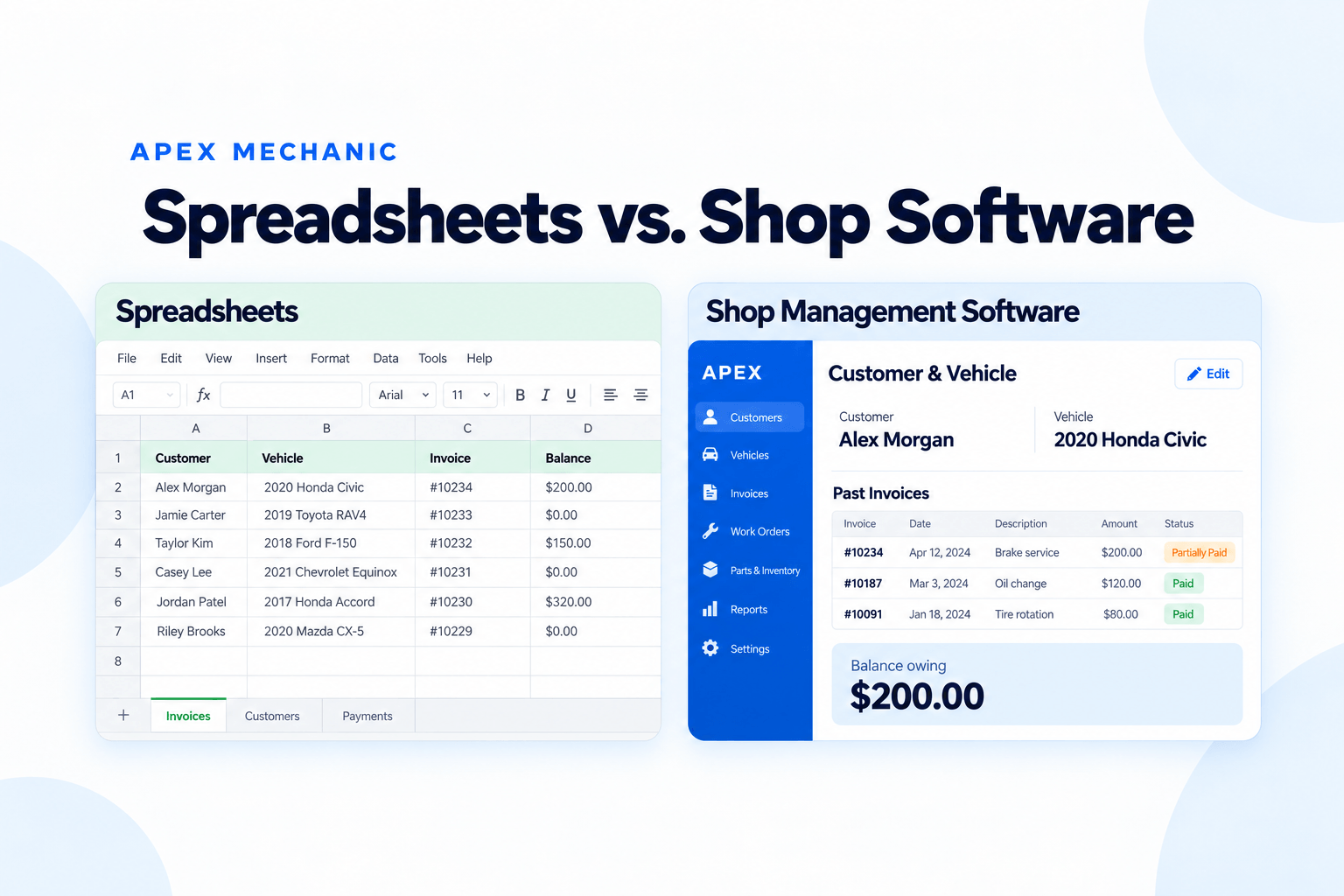
Your auto repair shop may have outgrown paper or Excel when invoices follow you home, previous repairs are hard to find, customer balances are unclear, or your team needs you to answer everyday questions. Hiring someone, losing help, or handling more jobs can also be a reason to consider shop management software.
You do not have to wait until the paperwork becomes a serious problem. Your current setup may still work, but only because you remember where everything is and spend extra time keeping it together.
This guide is for independent Canadian repair shops using handwritten invoices, spreadsheets, or a mix of basic tools. Use the seven signs below to decide whether your shop needs a better process, a simple software system, or just a few changes to the way you work today.
You Finish Repair Invoices After Closing
The last customer has left, but you still have invoices to finish. You type customer details, add parts and labour, check prices, and send the paperwork before you can call it a day.
An occasional late invoice is normal. When it happens several evenings a week, ask what keeps slowing you down.
Are you typing the same customer and vehicle details again? Copying common services from old invoices? Updating a separate sales list once the invoice is finished?
Saved customer records and saved services can make that repeated work easier. But the system needs to be quick enough for the person creating the invoices.
Invoices After Closing
A quick check: How many evenings this week did you stay late or take invoices home?
Finding a Vehicle’s Previous Service History Takes Too Long
A customer calls and asks when you last replaced their brakes. You remember doing the job, but finding the invoice means checking a folder, searching a spreadsheet, or looking through old text messages.
Paper and Excel can hold service history. The question is whether the right information is easy to find when someone needs it.
Try the lookup with another employee. Can they find the correct customer, vehicle, and previous invoice without your help? Can they tell which repairs belong to which vehicle when a customer owns more than one?
A system that connects invoices to customer and vehicle records can make these questions easier to answer. It will only show the history entered or transferred into it, so older records need a separate plan.
Finding Previous Service Records
A quick check: Could someone else find a vehicle’s last repair invoice while the customer waits?
You Need Several Records to Check What a Customer Owes
The invoice is in one file. A partial payment is written on a note. The later e-transfer is in your bank records. Before answering the customer, you need to put those pieces together.
For example, imagine a $600 invoice with a $400 payment. Your team should be able to find the remaining $200, see which invoice it belongs to, and record the next payment clearly.
A spreadsheet can do this if payments and balances are kept up to date. The warning sign is having to check several places each time—or being unsure which amount is correct.
Shop software with payment tracking can keep the invoice, recorded payments, and remaining balance together. Your team still needs to enter payments accurately; tracking a payment is different from checking that the money arrived in your bank.
Customer Balances
A quick check: If a customer called right now, could you tell them exactly what they still owe?
Make Records Easier for Your Team to Find
See How Apex WorksYou’re Hiring Someone, but the Process Is Mostly in Your Head
Hiring a service advisor or front-desk employee should help share the work. But it is hard to hand over tasks when only you know where records are kept, which prices to use, and how customer payments are tracked.
The new employee may keep asking you to find an invoice, confirm a previous repair, or explain a customer’s balance. You have added help, but the questions still come back to you.
Before their first day, make sure another person can:
- Find customer and vehicle details.
- Create an invoice using the shop’s usual services and prices.
- Look up previous work.
- Record a payment and check the remaining balance.
A clear filing process may be enough. If the information is scattered, this can be a good time to bring it into one system and train the employee on real tasks.
Hiring Help
A quick check: Could your new employee create an invoice and check a payment without asking you where everything is?
You’re Handling More Jobs—or Losing Someone Who Helps
Your setup may feel manageable with today’s workload and staff. Then bookings increase, you add a bay, or an employee leaves. More of the paperwork falls back on you.
You do not necessarily need a bigger shop to reach this point. A two-bay garage can feel stretched if the owner handles repairs, calls, appointments, and invoices.
Watch what happens when the shop gets busy. Do invoices wait longer? Are payment updates missed? Does finding previous work interrupt jobs on the floor?
This is a reason to review the process before the backlog grows. Identify the task taking the most time and ask a software provider to show you how it would work in their system.
If you spend most of the day away from a desk, also try the tasks you need on your actual phone or tablet. Do not assume every desktop feature works the same way on mobile.
More Work or Less Help?
A quick check: If you got busier next month—or lost someone who helps—what paperwork would start falling behind?
You Want to Step Away, but Everyone Still Needs You
You want to work on the floor, visit a supplier, or take some time away. But the counter calls because someone cannot find a previous invoice or confirm what a customer owes.
The problem may be access to information rather than the employee’s ability. If only you understand the files and notes, they cannot easily handle the question themselves.
Try a simple handover: ask another employee to create an invoice, find a vehicle’s previous repair, and check an unpaid balance while you stay out of the process.
Notice where they get stuck. Those are the records or instructions you need to improve. A shared shop system may help, but your team also needs training and clear responsibilities.
Taking a Day Off
A quick check: Could you leave the shop for an afternoon without getting calls about invoices, previous repairs, or payments?
You Keep Copying Information Between Paper, Excel, and Other Tools
The appointment is in a calendar. The vehicle details are on paper. The invoice is in Excel. Payments are tracked in another list.
Each tool may work well on its own. The extra work comes from typing the same details again and keeping every version up to date.
This often shows up when you prepare sales information for your accountant. You have the invoices, but still need to gather totals, check payments, or correct mismatched records.
You can keep QuickBooks or Wave for bookkeeping while using another system for daily repair-shop tasks. The important thing is to agree on where invoices and payments are recorded and how the accountant receives the information.
For a Canadian repair shop, also check the tax settings and reports you need. Ask to see a sample invoice and sales report rather than assume they will match your current process.
Copying Between Tools
A quick check: After finishing one job, how many files, notes, or lists do you need to update?
When Paper or Excel May Still Be Enough
Using paper or Excel does not automatically mean your shop needs software.
Your current setup may still suit you if:
 Invoices are finished on time.
- Customer and vehicle records are easy to find.
- Payments and balances are kept up to date.
- Another employee can follow the process.
- Preparing information for your accountant is straightforward.
If those things are working and nothing significant is changing, you may have little reason to switch yet.
If a problem keeps returning—or you are preparing to hire, grow, or hand over more work—look at what would make that task easier. Sometimes better templates and clearer responsibilities help. Sometimes a dedicated system is the more practical choice.

What to Do If You Recognize These Signs
You do not need to solve every problem at once. Start with the one that keeps interrupting your day.
Choose One Task to Improve
Is it making invoices, finding vehicle history, checking balances, or letting another employee handle the counter? Write down what is difficult and what you want to change.
Try a Real Job in the Software
Bring a recent invoice to the demo. Ask the provider to show you how to create it, record a partial payment, find the remaining balance, and look it up through the vehicle record. Let the person who will use the software try it too.
Check the Canadian Details and Setup Help
Confirm the billing currency, taxes your shop uses, and reports your accountant needs. Ask what setup and training include, what records can be transferred, how support works, and whether there are extra fees or limits. Choose a system that handles your essential work and that your team is ready to use. You can introduce other features later. Once you decide to switch, our guide to moving from paper or Excel to auto repair shop software explains how to prepare records and get started in stages.

How Apex Mechanic Helps Canadian Repair Shops Move Beyond Paper or Excel
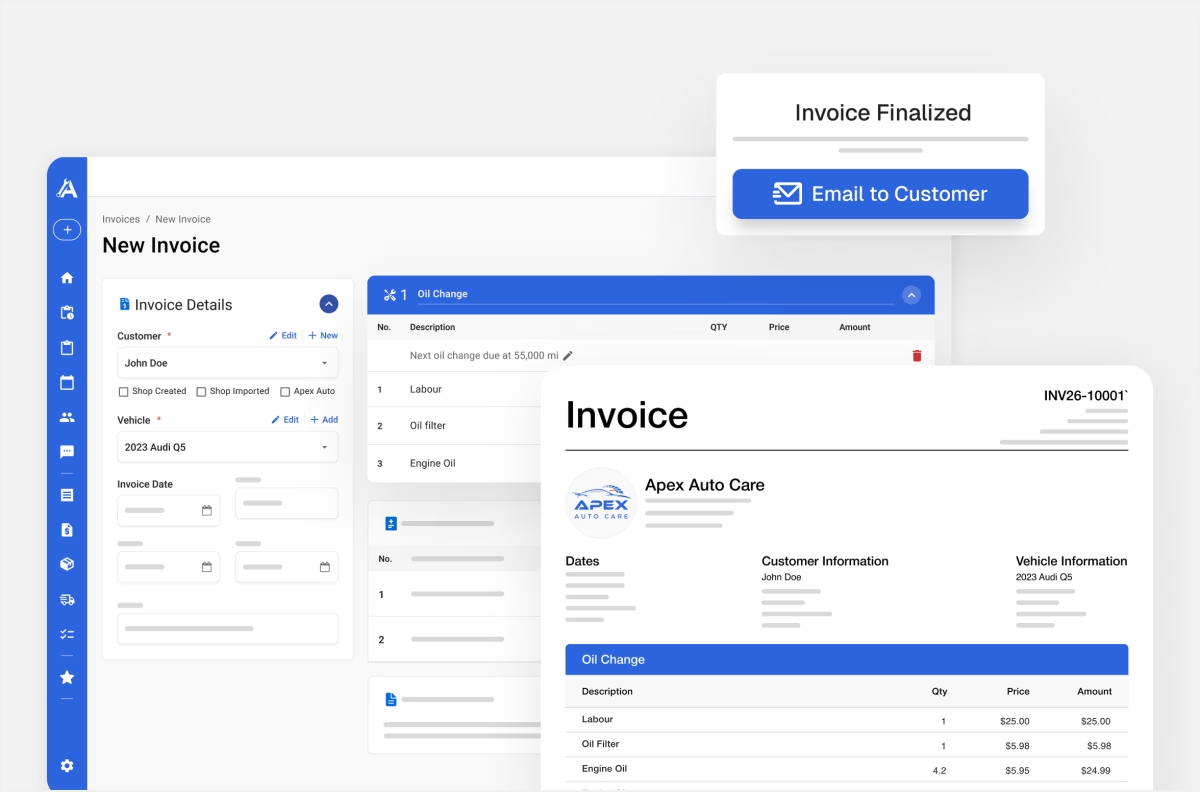
Apex Mechanic is simple shop management software for independent Canadian auto repair shops. It brings repair invoices, customer and vehicle history, and payment tracking into one system.
Apex Mechanic is simple shop management software for independent Canadian auto repair shops. It brings repair invoices, customer and vehicle history, and payment tracking into one system.
Apex supports configurable GST, HST, PST, and QST, with tax settings for invoice items. Confirm your shop’s requirements with your accountant during setup. You can keep QuickBooks or Wave for bookkeeping; Apex’s sales-report exports do not automatically sync with those systems.
You’ll work directly with the founder to get set up and learn everyday tasks. We’ll review your existing files and confirm which records can be transferred before you start. Customer lists, historical invoices, and outstanding balances need to be checked separately.
Start with invoices and records. Estimates, work orders, appointments, inventory, and customer messaging can follow as your team gets comfortable.
Explore Apex Mechanic’s repair invoicing features.
Frequently asked questions
Look for everyday problems: invoices waiting until after closing, vehicle history that takes too long to find, unclear customer balances, or employees who need you to locate records. Hiring someone or handling more jobs can also make a once-manageable spreadsheet setup harder to use.